Evernote to Obsidian Migration: A Format Fidelity Test You Can Actually Run
An import that finishes without errors can still leave broken links, renamed attachments, and flattened tables. Use this small-batch test to learn what your Evernote to Obsidian migration really preserved.
Why a Fidelity Test Matters
Evernote stores note content in ENML, while Obsidian works with Markdown files and ordinary files in a vault. The conversion is useful, but it is not a perfect translation. An importer can report success even when a table is flattened, an attachment path is wrong, or an Evernote link no longer opens the note you expected.
A fidelity test answers a narrower and more useful question: which parts of my notes survive this exact export and import workflow? Run it before processing your full library, especially if you have years of research notes or a vault with strict folder conventions.
“Imported” is not the same as “preserved.” Keep your original Evernote export and local source copy until the test set passes in Obsidian.
Build a Representative Test Set
Do not choose only your cleanest notes. A useful test set is small enough to inspect by hand but varied enough to expose the awkward edges of your library.
Include these note types
- • A note with headings, lists, and emphasis
- • A note with a complex or wide table
- • A note containing an image and a PDF
- • A note with internal and external links
- • A note that uses checkboxes or a task list
Include these structures
- • One notebook with nested organization
- • Notes with tags and special characters
- • A duplicate or similarly named note
- • A long note with several attachments
- • One note you open every week
Record the note titles, notebook names, attachment count, link count, and any details you care about. This inventory becomes your before-and-after checklist.
What to Check After Import
Open the exported Markdown files in a text editor first, then open the same notes inside Obsidian. Checking both views separates a conversion problem from an Obsidian rendering or vault-path problem.
Content and formatting
Compare headings, bullets, numbered lists, bold or italic text, code blocks, blockquotes, horizontal rules, and line breaks. Look for HTML fragments that should have become Markdown.
Attachments
Count the files, open at least one image and one PDF, and confirm that filenames and relative paths match the links in the Markdown. Test filenames with spaces, punctuation, or duplicate names.
Links, tags, and tasks
Click internal note links, external URLs, and attachment links. Confirm tags are still searchable and decide whether Evernote checkboxes should become Obsidian task syntax or remain historical text.
Run a Small Local Batch First
A local source copy lets you repeat the same test without repeatedly downloading your Evernote library. It also gives you a clean boundary between synchronization, export, conversion, and Obsidian import.
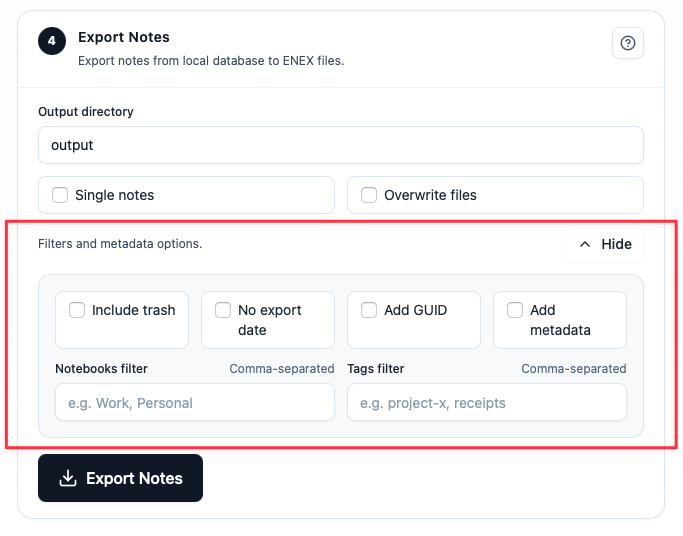
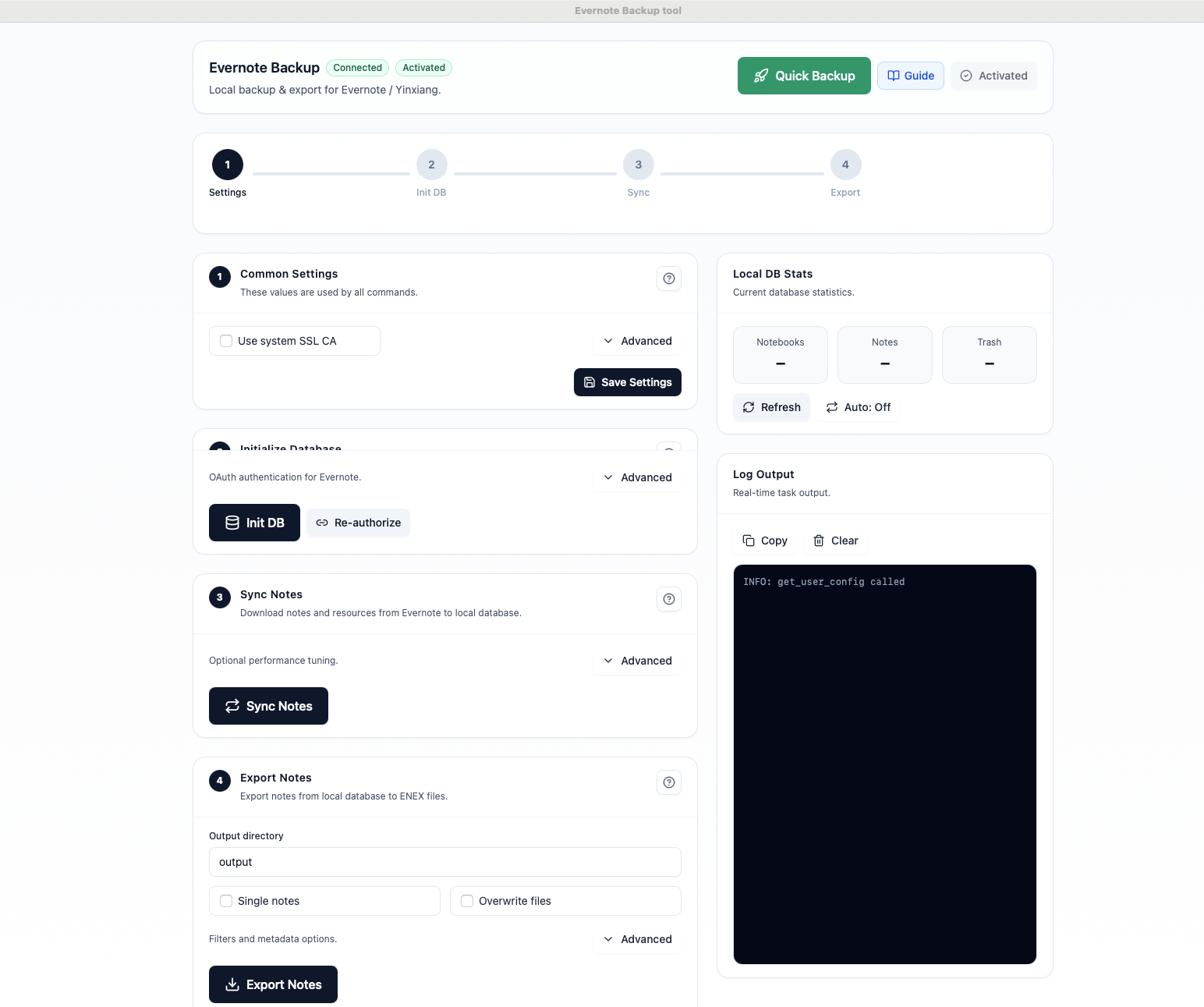
- Sync once: download the notebooks, notes, and resources you selected into a dedicated local database.
- Export a sample: use a task-heavy or attachment-heavy notebook rather than your entire account.
- Open the files: inspect Markdown and attachment folders before starting Obsidian.
- Import into a new vault: keep the test vault separate from your everyday notes.
- Record failures: write down the exact note, field, and path that did not survive.
If the small batch is clean, increase the size gradually. A staged migration is easier to roll back than importing thousands of files into a vault you already depend on.
Use a Simple Migration Scorecard
Give every test note a pass, warning, or fail for each category. The goal is not a perfect marketing number; it is a decision you can explain before committing the rest of your library.
| Category | Pass means | Investigate when |
|---|---|---|
| Text | Headings and paragraphs read correctly | HTML or escaped markup is visible |
| Attachments | Files open and links resolve | A file is missing, renamed, or duplicated |
| Organization | Folders, tags, and titles are findable | Special characters or duplicates collide |
| Tasks | Checkbox state matches your decision | Completed items become ambiguous text |
Set your own acceptance rule. For example, you may accept a minor color change but reject any missing attachment or broken internal link. Make that tradeoff explicit before you scale up.
What to Do When a Test Fails
First identify the layer where the failure appears:
- Source: the note or resource was not synchronized locally.
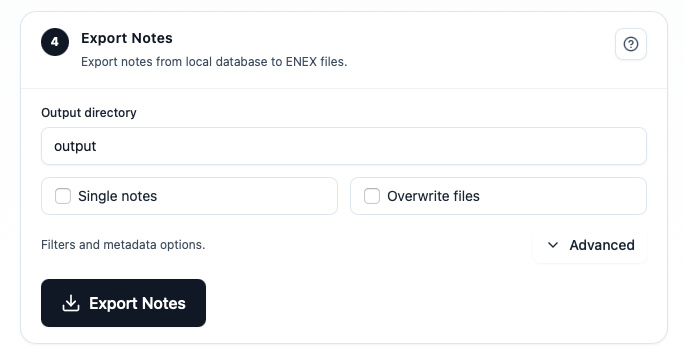
- Export: a filter excluded the note, attachment, tag, or metadata.
- Conversion: the Markdown file does not contain the expected structure or link.
- Import: the file is correct, but Obsidian or a plugin interprets it differently.
Change one variable at a time: export format, attachment layout, notebook filter, or task mapping. Keep the failed batch so you can compare it with the next run. If a feature cannot be represented faithfully, preserve the original HTML or ENEX copy alongside the Markdown vault and document the limitation.
A good migration is auditable. Keep the source inventory, export settings, test notes, and scorecard together so you can explain what changed months later.
FAQ
Should I import ENEX directly into Obsidian?
You can test direct ENEX import, but keep a separate Markdown export for inspection and portability. Compare both on the same sample instead of assuming one path is universally better.
How many notes should be in the test batch?
Start with enough variety to cover your risky features, often 10–30 notes. Increase the batch only after the representative examples pass.
What if tables or task states do not survive?
Keep a preservation copy in ENEX or HTML, then choose whether to repair the Markdown, use a destination-specific importer, or leave that subset in the original archive.
The Practical Takeaway
Do not judge an Evernote to Obsidian migration by whether the import dialog finished. Build a representative test set, inspect Markdown and attachments locally, verify links and task behavior in a fresh vault, and record the tradeoffs. Once the small batch meets your acceptance rule, you can scale the same workflow with confidence.
Download Evernote Backup ToolRelated guides
Evernote Export Missing Notes? Why Your HTML File Count Doesn't Match
An export can report success while the number of HTML files on disk looks too low. Learn how to investigate duplicate titles, filename collisions, export settings, and OneDrive workflows before assuming notes are missing.
How to Back Up Evernote Before Changing Apps or Plans
Build a local copy first, verify it, and only then change your workflow. That order removes most of the avoidable risk.
How to Back Up Evernote Properly: 3-2-1 Copies and Restore Testing
A folder full of files is not proof that your Evernote data is safe. Build several copies, keep the right export formats, and test one real restore before you need it.