Before You Cancel Evernote: A Backup and Restore Readiness Checklist
Cancellation is a billing decision; data safety is a verification task. Complete these checks before you remove access to the Evernote workflow you still depend on.
Separate Cancellation from Backup
Canceling a subscription changes billing and access. It does not, by itself, prove that your notes can be opened or restored elsewhere. Treat the two decisions separately: first establish a recoverable archive, then decide whether you still need the paid workflow.
This matters because a file count can look healthy while attachments, task state, or internal links are unusable. Your exit criteria should be based on a test you can repeat, not on the date your renewal is due.
Do not make the renewal deadline your only backup deadline. Leave time to repeat an export or recover a missing batch.
Create a Local Source Copy
Synchronize the library to a dedicated local database before changing your plan. A local source gives you a stable starting point for additional exports and lets you investigate a problem without depending on a live account.
- Choose a drive with enough free space for notes and resources.
- Initialize the local database through Evernote OAuth.
- Sync notebooks, notes, attachments, and task-containing notes.
- Record counts, the sync date, and the database location.
- Open several recent and old notes to confirm the source is usable.
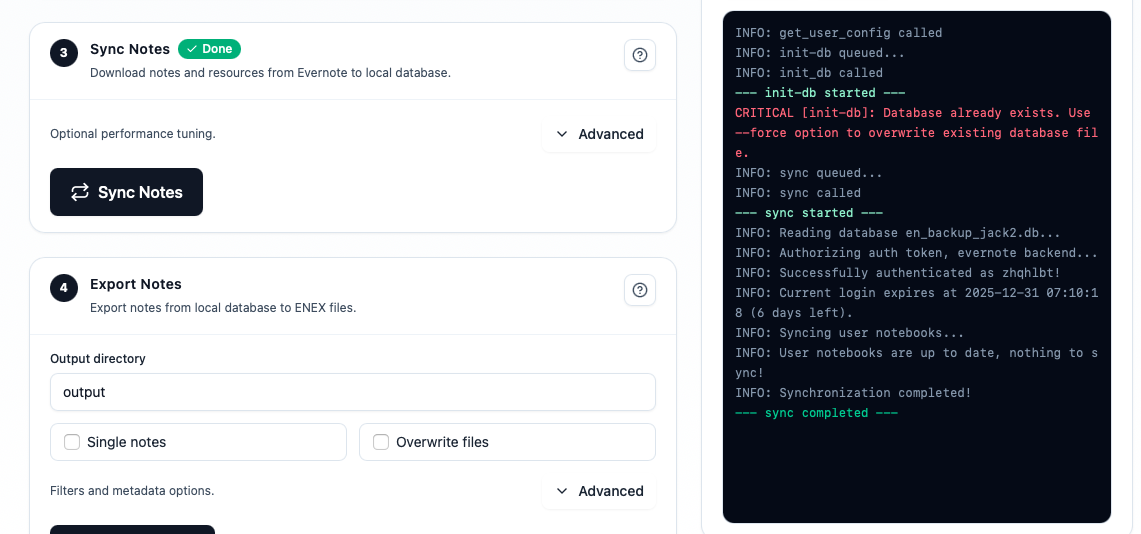
Keep this database separate from temporary test exports. It is your source of truth if you later need to regenerate a batch.
Export a Preservation Copy and a Readable Copy
Use two complementary outputs instead of asking one format to do everything:
Preservation copy
ENEX keeps an Evernote-oriented structure that can serve as a future import or recovery source.
Readable copy
HTML or Markdown lets you inspect text, attachments, and search behavior without relying on a single importer.
Export into a new, dated directory. Include attachments, metadata, and the notebooks you actually need; keep a broad archive if you are unsure what will matter later.
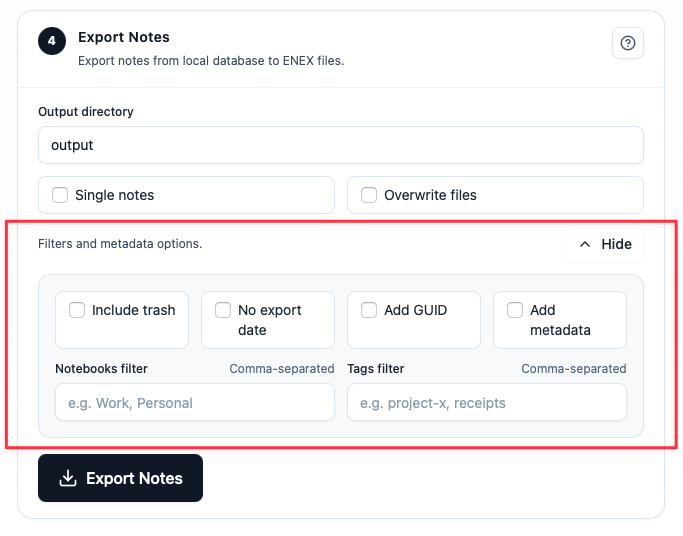
Save the exact filter settings with the export. A future restore is much easier when you know how the files were produced.
Run a Small Restore Test
A backup is not ready until you have opened it outside the workflow that created it. Use a fresh folder, a temporary vault, or a spare machine and test a representative sample:
- One recent note and one very old note
- One note with an image and a PDF
- One note with an internal link
- One completed task and one open task
- One note with tags or unusual characters
Check that the files open, text is searchable, attachments launch, links have a documented destination, and task state is represented the way you expect. Write down anything that needs a manual repair.
Restore one note before you restore a library. A ten-minute sample can expose a broken path before it becomes a weekend-long recovery project.
Store the Archive in More Than One Place
Keep at least two independent copies, ideally on different devices or storage systems. For each copy, record:
- Creation date and export format
- Directory size and file count
- Encryption or access details
- Where the local source database lives
- When you last opened a sample file
Do not rely on a USB drive that has never been tested, or on a cloud folder with no offline copy. The goal is not to collect copies; it is to keep a copy you can actually retrieve.
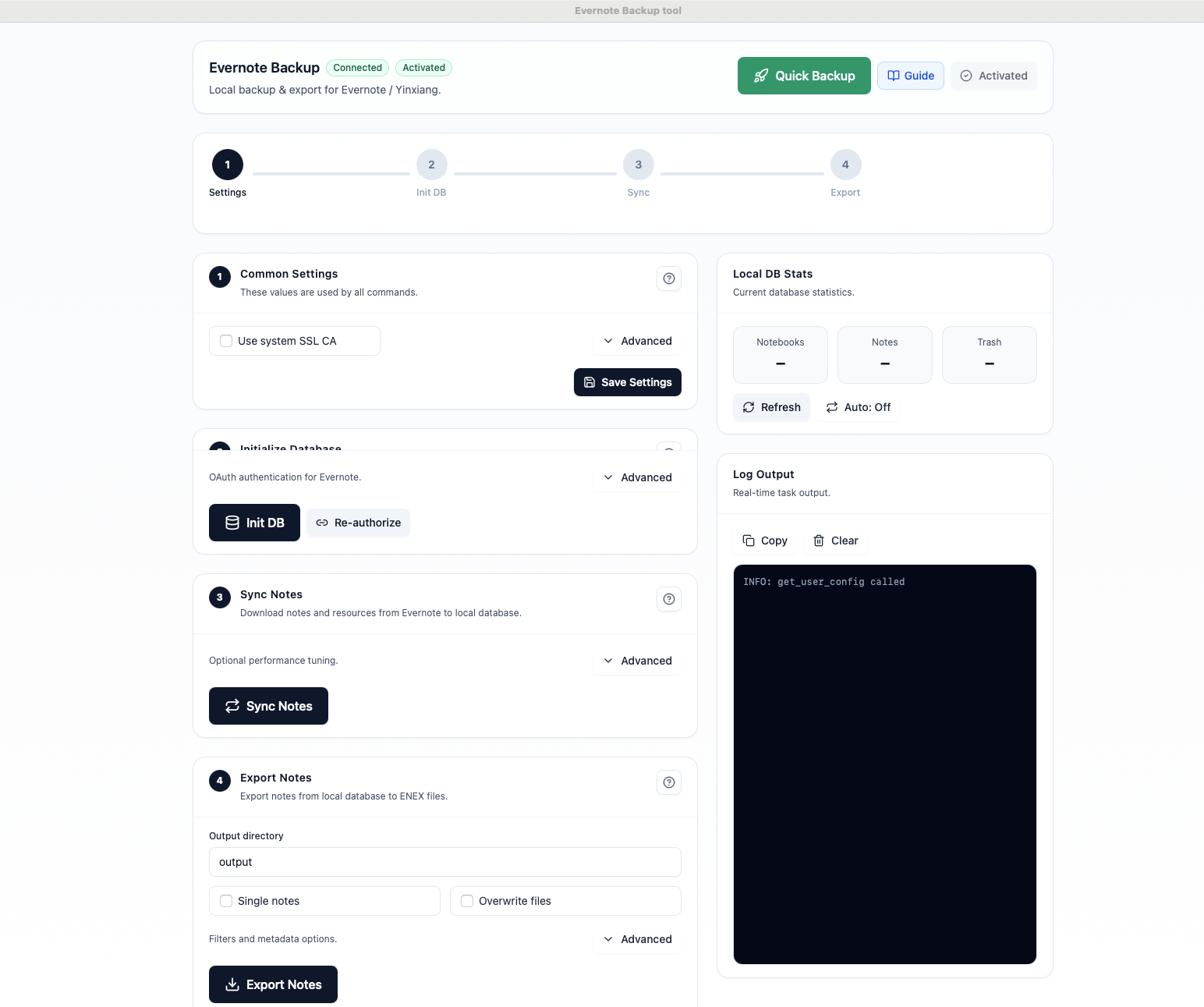
Your Final-Day Checklist
- Confirm the local source database opens and has a recent sync.
- Confirm preservation and readable exports exist in separate directories.
- Open the restore-test sample from the stored archive.
- Verify active tasks and frequently used notes in the destination.
- Copy the archive to a second storage location.
- Write down the recovery steps and the date you completed them.
Only after these checks should you change or cancel your plan. If a check fails, keep the account available and fix the specific batch instead of gambling with the whole library.
FAQ
Is an ENEX export enough before cancellation?
Keep ENEX as a preservation copy, but also create a readable output and test a restore. Your destination may not represent every Evernote feature the same way.
Should I keep Evernote Legacy installed?
Keep any client you still need to open or regenerate your archive until the restore test passes. Do not treat Legacy as a substitute for a verified, independent copy.
What if I discover a missing note after canceling?
Start with the local source and raw export. If the note is not there, check another batch or device copy before concluding that it is gone. This is why independent copies matter.
The Practical Takeaway
Canceling Evernote should be the last step in a backup project, not the first. Create a local source, export both a preservation and readable copy, test a small restore, store the archive twice, and document the recovery path. Then your billing decision is separate from your ability to get your data back.
Download Evernote Backup ToolRelated guides
Evernote Export Missing Notes? Why Your HTML File Count Doesn't Match
An export can report success while the number of HTML files on disk looks too low. Learn how to investigate duplicate titles, filename collisions, export settings, and OneDrive workflows before assuming notes are missing.
How to Back Up Evernote Before Changing Apps or Plans
Build a local copy first, verify it, and only then change your workflow. That order removes most of the avoidable risk.
How to Back Up Evernote Properly: 3-2-1 Copies and Restore Testing
A folder full of files is not proof that your Evernote data is safe. Build several copies, keep the right export formats, and test one real restore before you need it.