Secure Local Backup

Backup Your Evernote Notes Safely

Export and backup all your Evernote notes to ENEX format with our free desktop app. Keep your data secure with local storage, and easily migrate to other note-taking apps.

macOS & Windows
Local Storage
Offline capable
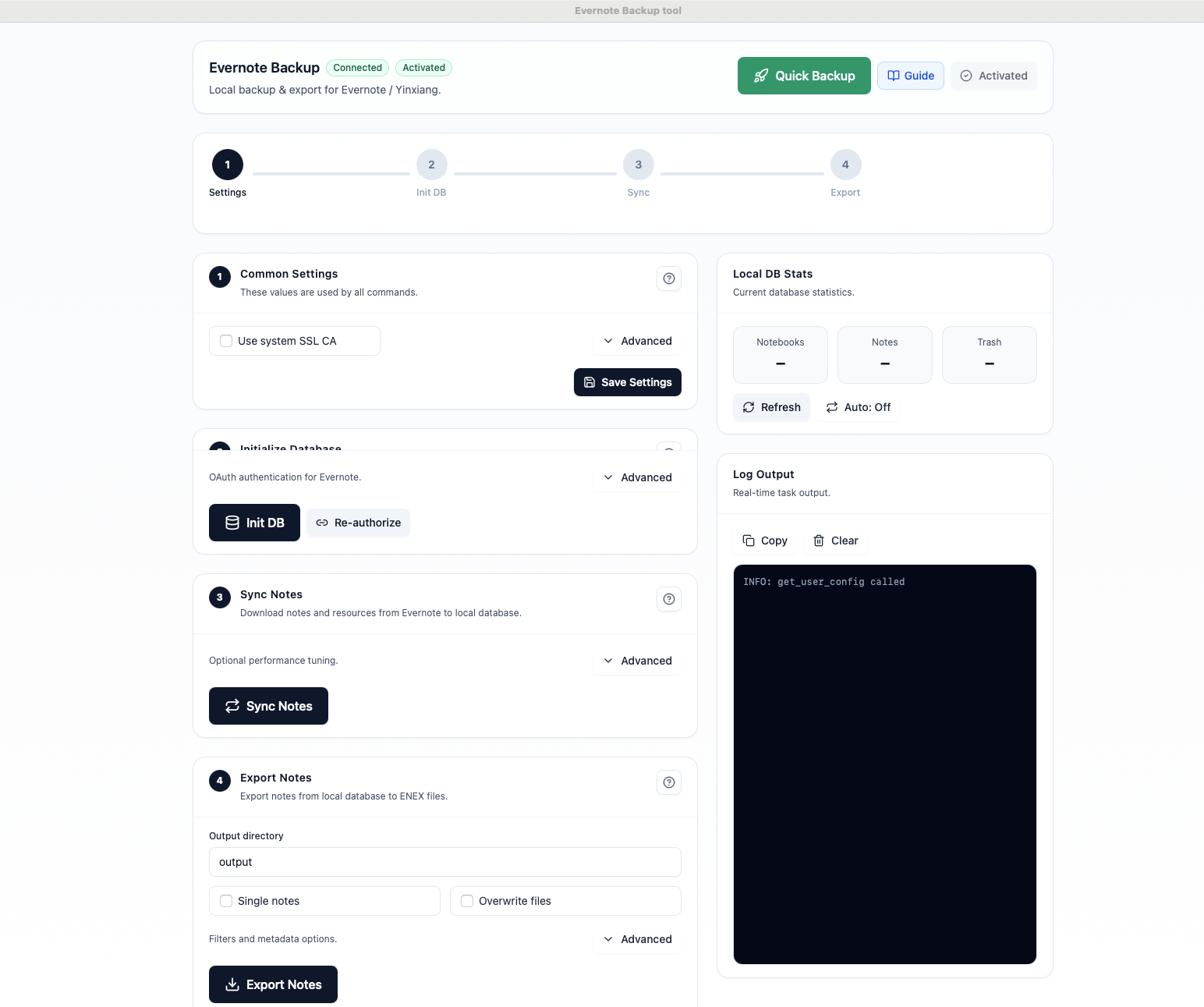
Evernote Backup Tool - Complete Application Interface
10K+
Notes Backed Up
256-bit Encryption
100% Local Storage
Works Offline
5000+ Users

Everything You Need to Backup Evernote

A complete solution for backing up, exporting, and managing your Evernote notes with powerful features and an intuitive interface.

Complete Backup

Download all your notebooks, notes, attachments, and resources to a local SQLite database. Never lose your data again.

ENEX Export

Export notes to standard ENEX format compatible with Evernote, Apple Notes, Notion, and many other apps.

Incremental Sync

Only download changed notes after the initial backup. Fast and efficient updates without re-downloading everything.

Secure & Private

All data stays on your computer. No cloud servers, no data collection. Your notes remain completely private.

Multi-Platform

Works with both Evernote International and Yinxiang (China). Native support for macOS and Windows.

One-Click Backup

Quick Backup button runs the entire process automatically. Initialize, sync, and export with a single click.

How to Backup Your Evernote Notes

Three simple steps to secure your notes. No technical knowledge required.

1

Connect Your Account

Authorize the app with your Evernote account using secure OAuth. Your password is never stored.

Evernote OAuth Authorization
Screenshot: OAuth login screen
2

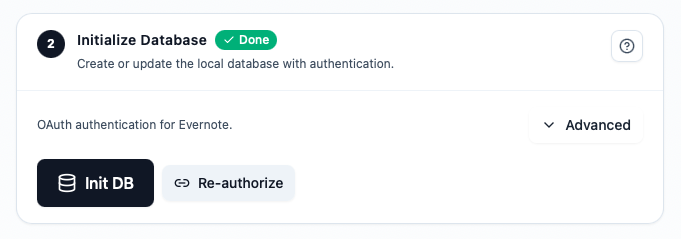
Sync Your Notes

Download all your notebooks and notes to a local database. Watch the progress in real-time.

Note Sync Progress
Screenshot: Sync progress with stats
3

Export to ENEX

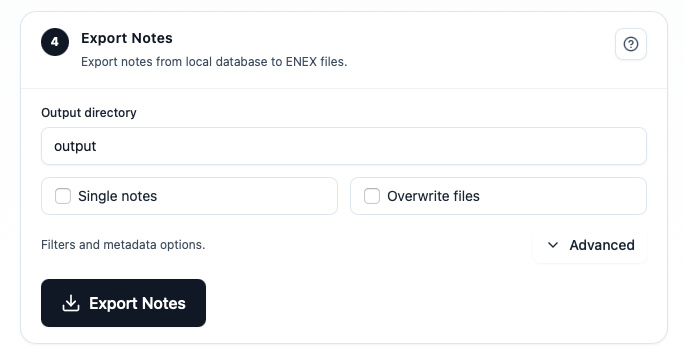
Export your notes to ENEX files. Import them to any compatible note-taking app whenever you need.

Export to ENEX
Screenshot: Export options panel

See It in Action

Watch how easy it is to backup your Evernote notes in under 5 minutes.

YouTube Video: How to Backup Evernote Notes

Embed your YouTube video here

Why Users Love Evernote Backup Tool

Join thousands of users who have secured their notes with our tool.

"Finally, a simple way to backup my 5000+ notes. The one-click backup feature is a lifesaver. Highly recommended!"

JD
John D.
Evernote user since 2012

"I was worried about losing my research notes. This tool gave me peace of mind with local backups I control."

SM
Sarah M.
PhD Researcher

"Migrated from Evernote to Notion using this tool. The ENEX export was perfect and preserved all my attachments."

LC
Li Chen
Software Developer

Simple, Fair Pricing

Free to sync and backup. One-time payment to unlock export feature forever.

Free
$0

Perfect for trying out the tool

  • Initialize database
  • Sync all notes
  • View statistics
  • Export to ENEX
Download Free
Most Popular
Pro (Lifetime)
$69

One-time payment, forever access

  • Everything in Free
  • Export to ENEX format
  • Unlimited exports
  • Priority support
  • Future updates included
Get Pro License

Ready to Backup Your Notes?

Download the Evernote Backup Tool now and secure your notes in minutes. Available for macOS and Windows.

Version 1.13.1 ยท Requires macOS 10.14+ or Windows 10+

Frequently Asked Questions

Everything you need to know about backing up your Evernote notes.

Is my data safe with this tool?

Yes, absolutely. All your data is stored locally on your computer. We don't have any servers that store or process your notes. The app only connects to Evernote's official API to download your data, then stores it in a local SQLite database that you control.

What is ENEX format?

ENEX (Evernote Export) is Evernote's standard export format. It's an XML-based format that preserves all your note content, formatting, attachments, and metadata. Many note-taking apps like Apple Notes, Notion, Joplin, and others can import ENEX files.

Does it work with Yinxiang?

Yes! The tool supports both Evernote International and Yinxiang (the Chinese version of Evernote). Just select "china" as the backend in the settings. Authentication works with username/password for Yinxiang accounts.

How long does the backup take?

The initial backup depends on how many notes you have and their size. For 1000 notes with typical attachments, expect 10-30 minutes. Subsequent syncs are much faster as only changed notes are downloaded.

Is the license a subscription?

No, it's a one-time payment for lifetime access. Pay once, use forever. All future updates are included at no extra cost. We believe in fair pricing without recurring fees.

What is your refund policy?

As this is a one-time purchase for a digital product, all sales are generally final. However, if you experience technical issues that prevent the software from functioning as intended on your system, and we are unable to resolve them, you may be eligible for a refund. Please contact us at support@aluo.app with details of the issue, and we'll work with you to find a solution.

Don't Risk Losing Your Notes

Cloud services can change or shut down. Keep a local backup of your valuable notes and documents today.

Download Evernote Backup Tool