Automation
How to Set Up Automatic Evernote Backups with Scheduled Sync
Set it and forget it—configure automatic scheduled backups at regular intervals without manual intervention.
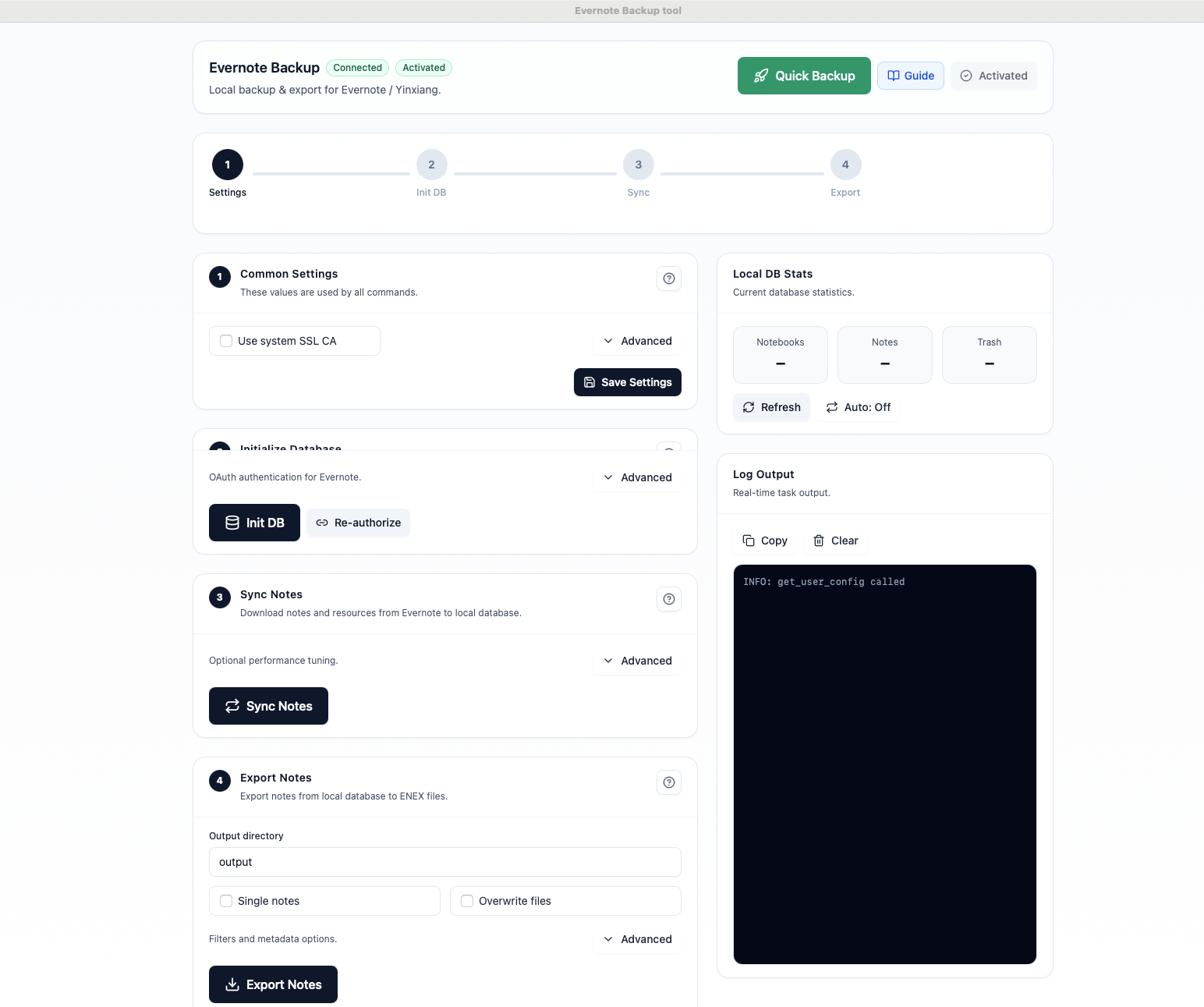
以本機優先為核心,涵蓋備份、匯出與移轉前準備等完整流程。
將記事本、筆記、附件與資源下載到本機 SQLite 資料庫,長期可控。
支援 ENEX、HTML、Markdown。Markdown 適合移轉到 Obsidian,HTML 適合搜尋與瀏覽。
首次備份後只下載變更過的筆記,持續同步更快更省時。
所有資料都留在你的電腦中,不依賴雲端代管,也不會上傳筆記內容。
同時支援 Evernote International 與印象筆記,並提供 macOS / Windows 原生版本。
初始化、同步、匯出可以一鍵串接,快速取得最新的本機副本。
可設定排程自動同步與匯出,讓備份隨時保持最新。
只重寫真正有變化的檔案,更適合 Dropbox、iCloud Drive、Syncthing 等同步資料夾。
不需要複雜設定,三步就能建立本機備份流程。
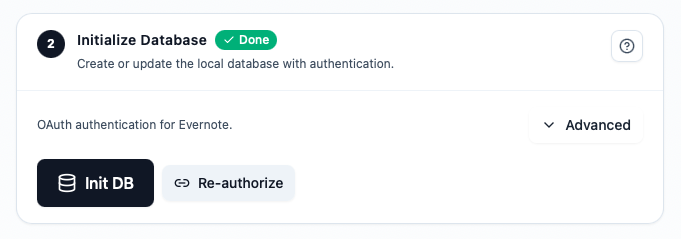
透過安全的 OAuth 授權連接 Evernote 帳號,工具不會保存你的密碼。
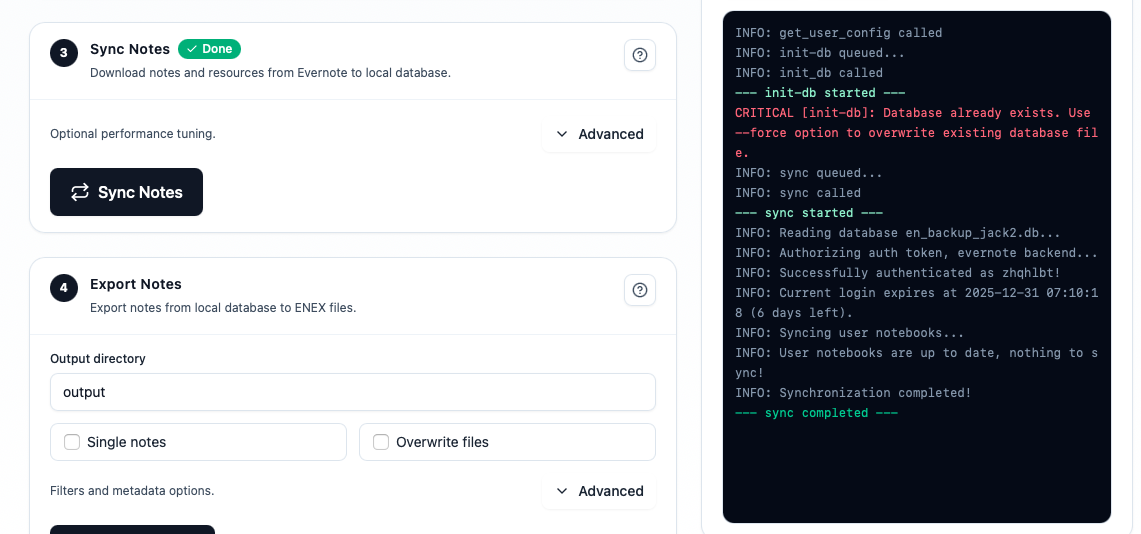
將記事本與筆記下載到本機資料庫,並即時查看同步進度。
依照備份、瀏覽或移轉情境選擇 ENEX、HTML 或 Markdown。
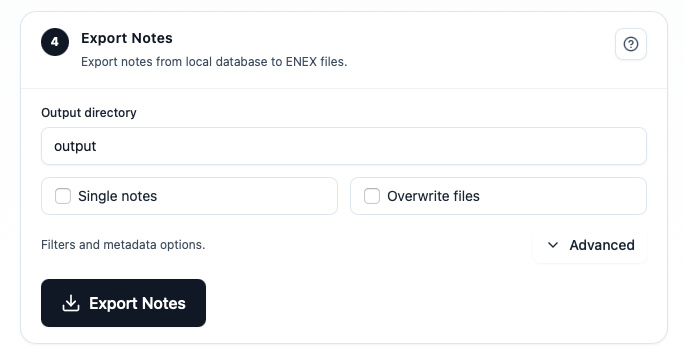
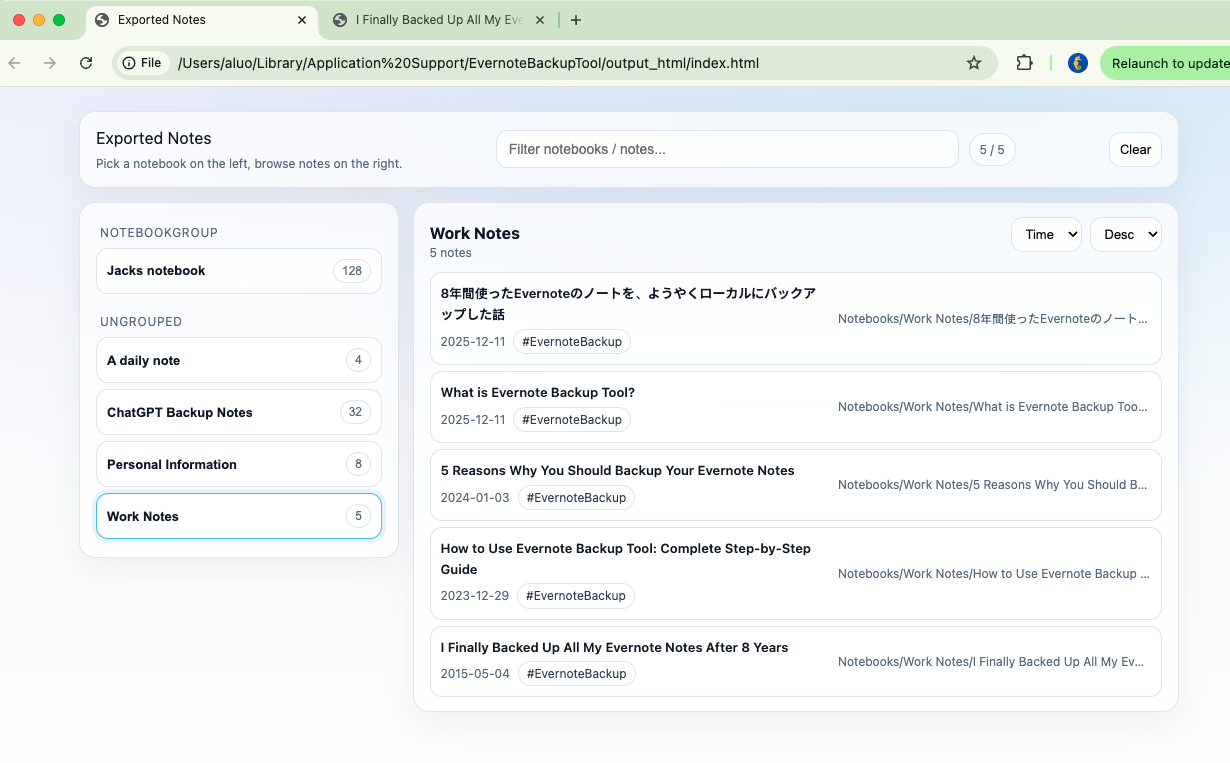
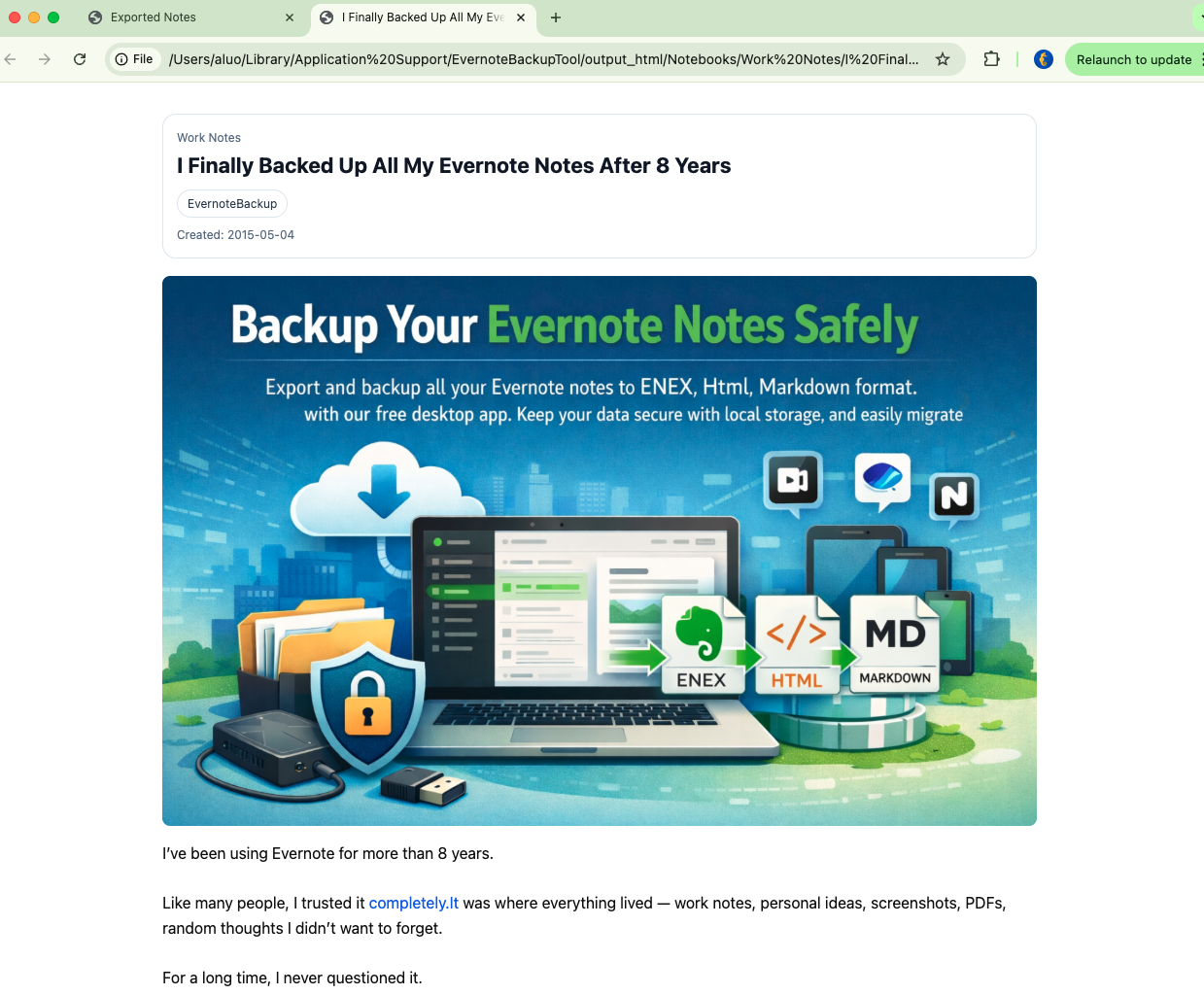
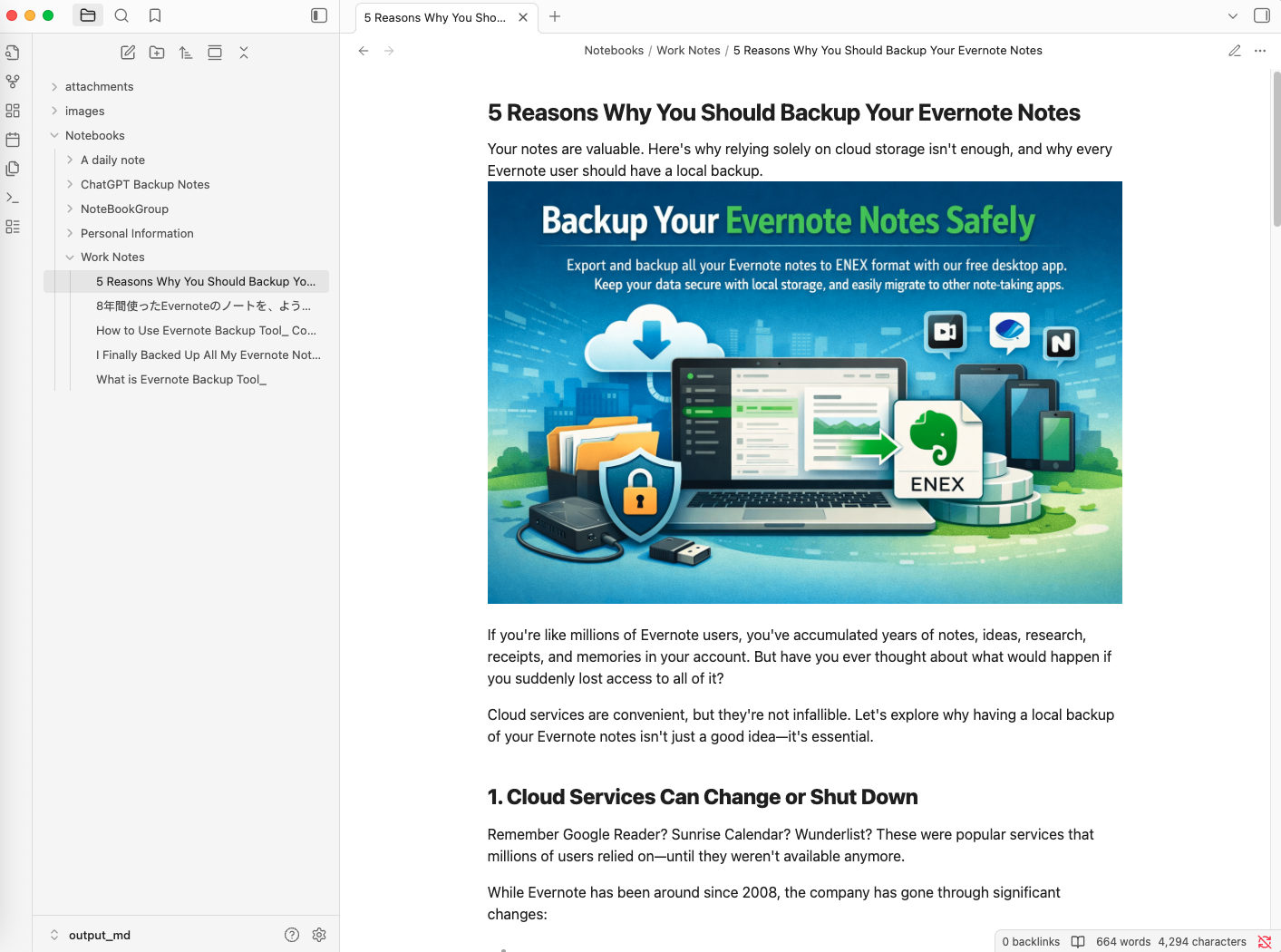
一段簡短示範,帶你看完從連接帳號到匯出的完整流程。
不是訂閱制。一次購買,永久使用,資料始終由你掌控。
先試再買
先驗證你的資料
一次性付款
最適合長期封存備份
一次性付款
適合離開 Evernote 時使用
Evernote 會改變,但你的資料不該暴露在風險中。
從自動備份、匯出搜尋到移轉實作,優先整理了使用者最常看的文章。
Set it and forget it—configure automatic scheduled backups at regular intervals without manual intervention.
Use powerful keyword search and tag filtering in HTML exports to find notes instantly without Evernote.
Keep unchanged files untouched when exporting to Dropbox, iCloud Drive, Syncthing, and other synced folders.
Essential strategies for protecting your notes with the 3-2-1 backup rule and disaster recovery planning.
是的。工具把資料存放在本機電腦中,Evernote 授權透過 OAuth 完成。
支援 ENEX、HTML 與 Markdown,分別適合封存、瀏覽與移轉。
支援,Evernote International 與印象筆記都可以使用。
不是。付費版本是一次性授權,不是持續訂閱。