ブログ / Migration Issue

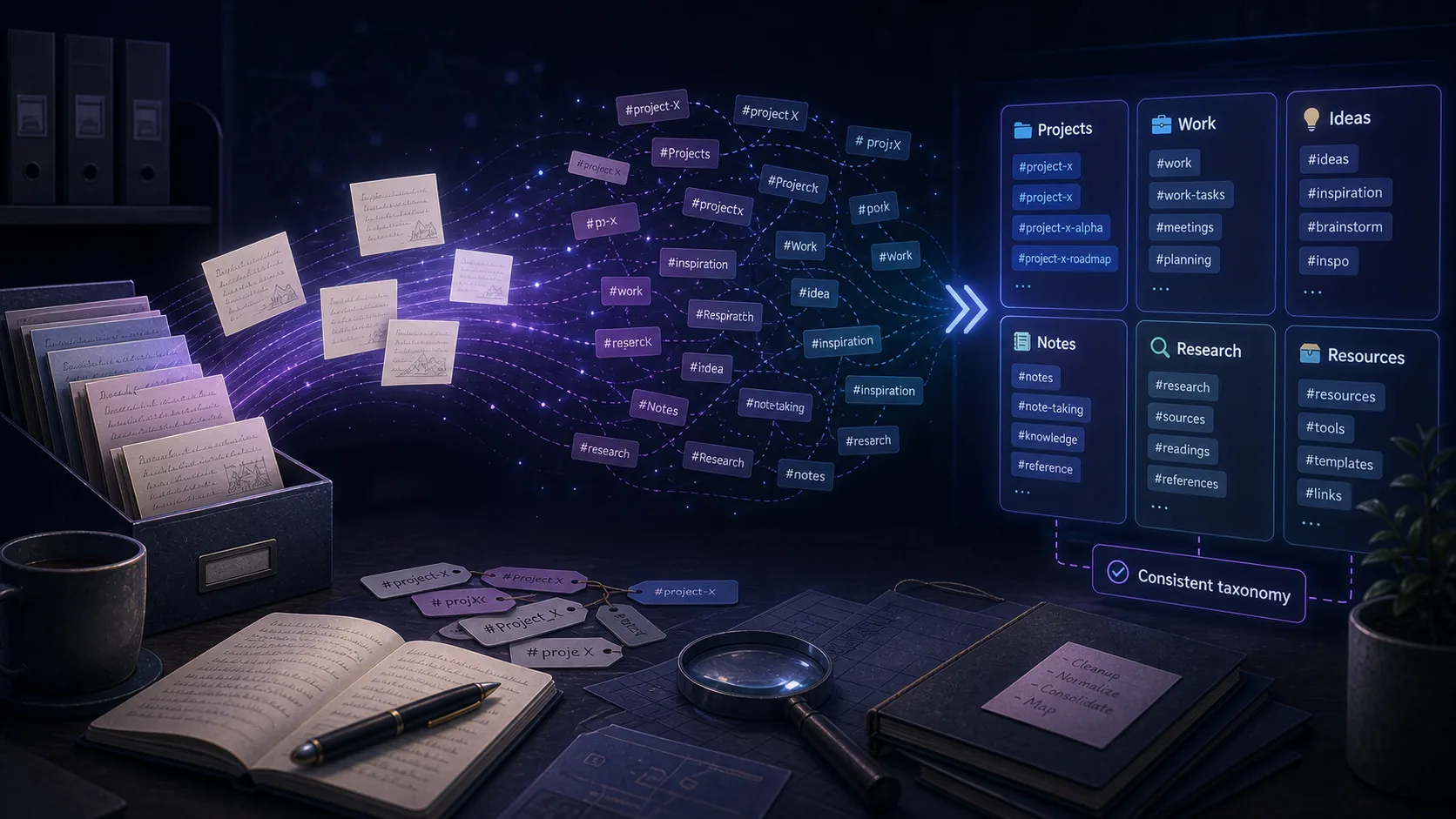
The Hidden Problem with Evernote to Obsidian Tag Migration

You export your Evernote notes, import them into Obsidian, and everything looks fine—until you notice your tags are broken or missing. Here's what's happening and how to fix it.

記事本文は英語です

長文記事の翻訳は準備中のため、このページの本文は現在英語で表示しています。

December 30, 2025
aluo.app
The Hidden Problem with Evernote to Obsidian Tag Migration

The Discovery: 1,100 Broken Tags

One Reddit user documented their migration from Evernote to Obsidian after 10+ years with approximately 7,000 notes across 15 folders. The migration itself went reasonably well, but they hit a significant roadblock: their tag system didn't survive the journey.

They had approximately 1,100 Evernote tags—carefully curated over a decade of use. These weren't random labels; they represented their entire organizational structure for finding and categorizing notes. When they imported into Obsidian, they discovered that tags containing special characters simply wouldn't work.

The problem: Special characters like & @ ( ) / . in Evernote tags cause issues when importing to Obsidian and other Markdown-based tools. You may not discover this until after you've completed your migration.

This user had to write a Ruby script to batch-replace all problematic characters with dashes. For users without programming experience, this kind of obstacle can be a migration blocker.

The issue isn't rare. Anyone who's built an extensive tag system in Evernote over years likely uses special characters as part of their tagging convention. When that system breaks during export, it's not just a technical problem—it's a loss of the organizational logic they've relied on.

The Problem Characters

Evernote is relatively permissive about what characters you can use in tags. This flexibility is useful for organization, but it creates compatibility issues when exporting to systems with stricter requirements.

Characters That Cause Issues

Based on user reports, these characters commonly cause problems when migrating from Evernote to Obsidian:

& (ampersand) @ (at sign) ( ) (parentheses) / (forward slash) . (period/dot) # (hash) + (plus) [] (brackets)

Why Users Use These Characters

These characters aren't random—they're part of meaningful organizational systems:

  • @project to designate project-related tags
  • status/done for hierarchical categorization
  • tag.name to namespace related concepts
  • & connector for compound concepts
  • (year) or [year] for time-based tagging

When these conventions break, you're not just fixing characters—you're rebuilding a taxonomic system that may have been in place for years.

Why This Happens

The root cause is a fundamental difference in how Evernote and Obsidian (and other Markdown tools) handle tags.

Evernote's Approach

Evernote stores tags as database entities. When you tag a note, you're creating a relationship between the note and a tag object. The tag's display name is separate from its internal identifier, which gives Evernote flexibility in what characters it allows.

Obsidian's Approach

Obsidian uses inline tags within Markdown files. Tags appear as #tagname directly in your note content. This approach has advantages—it's portable and human-readable—but it also has constraints. Certain characters have special meanings in Markdown or YAML front matter, making them problematic in tag names.

The Import Problem

When you import Evernote notes, conversion tools need to translate Evernote's tag database into Obsidian's inline tag format. This translation is where problems occur:

  • Some tools strip problematic characters entirely
  • Others create malformed tags that don't render
  • Some fail to import the tag at all
  • A few tools create tags that break your Markdown formatting

The result is that your carefully constructed tag hierarchy arrives incomplete or broken in your new system.

How to Detect Tag Problems Early

The best time to discover tag migration issues is before you commit to a full migration. Here's how to audit your Evernote tags.

Export Your Tag List

Evernote doesn't provide a simple "export all tags" feature, but you can create one manually:

  1. In Evernote, click on the "Tags" section in the left sidebar
  2. Select all tags (Ctrl/Cmd + A if you can click into the list)
  3. Or manually review your tag hierarchy, noting special characters
  4. Document any tags that use problematic characters

Test With a Small Batch

Before migrating all your notes:

  • Select a small subset of notes that use your most common tag patterns
  • Export them as ENEX and import into your target tool
  • Verify that tags imported correctly
  • Check that tag hierarchies (if supported) are preserved

Pro tip: If you have a large tag system (500+ tags), auditing them before migration will save significant headaches. Tools like Evernote2Obsidian and YARLE may handle special characters differently, so test with your specific tags.

Solutions and Workarounds

If you've already discovered tag migration issues, or you want to prepare before migrating, here are your options.

Option 1: Clean Up Tags in Evernote First

The safest approach is to fix problematic tags before you export:

  • Rename tags to remove or replace special characters
  • Use hyphens or underscores instead of slashes and periods
  • Merge similar tags to reduce total count
  • Delete obsolete tags you no longer use

This is time-consuming for large tag systems, but it ensures a clean migration. One user with 1,100 tags chose to script this rather than manually rename each tag.

Option 2: Use a Better Conversion Tool

Not all Evernote-to-Obsidian converters handle tags equally. Users report varying success:

  • Obsidian Importer plugin: Official option, but users report formatting loss and broken links
  • YARLE: Popular community tool, but may not handle all special characters
  • evernote2obsidian: Community-built tool specifically designed to address these issues

One user built evernote2obsidian specifically because existing tools frustrated them with formatting loss and broken note links. The right tool depends on your specific needs.

Option 3: Fix Tags After Migration

If you've already migrated and discovered broken tags:

  • Use Obsidian's search to find all tags: tag:#
  • Identify broken or malformed tags
  • Use find-and-replace to fix tag references across notes
  • Consider using a plugin like "Tag Wrangler" for batch operations

Find and Replace Example

In Obsidian, you can use regex find-and-replace (Ctrl/Cmd + H) to fix tags:

Find:    #tag/name
Replace: #tag-name

Best Practices Before You Migrate

Based on user experiences, here's a recommended approach for migrating with an extensive tag system.

1. Audit Your Tags

Before anything else, understand what you have. Export a list of all tags, note which use special characters, and identify your most-used tags. This information will guide your migration strategy.

2. Test Your Migration Tool

Don't assume any tool will work perfectly. Export a representative sample of notes with varied tag patterns and test the import. Check that:

  • All tags appear in the destination
  • Special characters are handled correctly
  • Tag hierarchies are preserved (if important to you)
  • Notes retain their expected tags

3. Have a Fallback Plan

Keep your original ENEX exports. If the migration goes poorly, you can try a different tool or approach. Some users iterate through multiple converters before finding one that works for their specific setup.

4. Consider Rebuilding Your System

Migration is also an opportunity to reconsider your organizational approach. Some users choose to simplify their tag system rather than perfectly preserve it. Obsidian's linking and graph view capabilities can reduce reliance on strict tag hierarchies.

Key insight: The perfect tag migration may not exist. The goal is to preserve enough of your organizational system that you can find things while accepting that some reorganization may be necessary. A backup copy of your original Evernote data ensures you can always refer back if needed.

Summary and Final Thoughts

Tag migration is one of the hidden challenges of moving from Evernote to Obsidian. Special characters that worked fine in Evernote can break or disappear entirely during export, leaving you with a fragmented organizational system.

Key Takeaways

  • Special characters like & @ ( ) / . in Evernote tags cause import problems
  • Users with 1,000+ tags may face significant migration challenges
  • Test migration with a small batch before committing to a full export
  • Different conversion tools handle special characters differently
  • Some users write scripts to batch-fix problematic characters
  • Keep original ENEX exports as a fallback

The Bottom Line

If you have an extensive Evernote tag system, plan for tag migration as part of your move. Audit your tags, test your tools, and have a strategy for fixing what breaks. The effort upfront will save significant frustration later.

And remember: whatever happens with your tags, your notes themselves are more important. Tags help you find things, but the content matters most. Preserve your notes first, worry about perfect tag preservation second.